

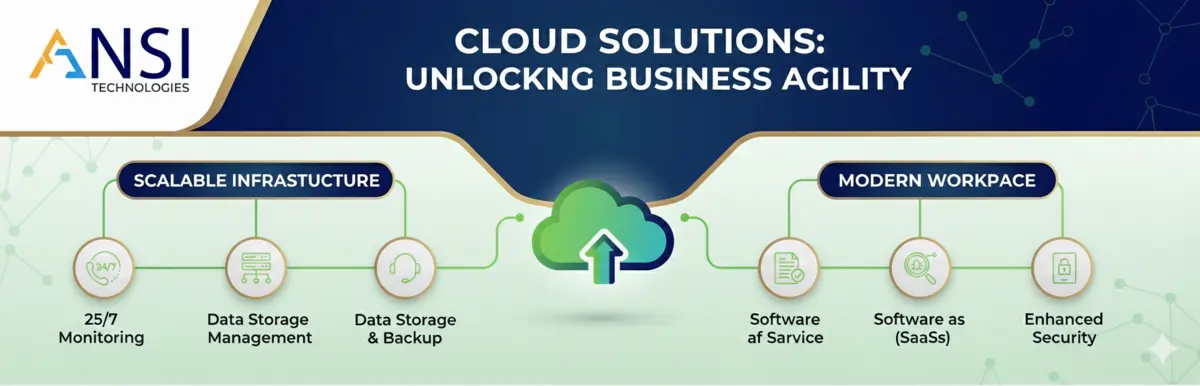
A continuity framework for Ras Al Khaimah industrial, trading, hospitality and branch operations that depend on stable connectivity, secure access, operational systems and recoverable data.
Ras Al Khaimah IT Continuity Guide for Industrial, Trading and Branch Operations
Ras Al Khaimah companies often operate across industrial sites, trading offices, branch locations and lean administrative teams. A minor IT failure can affect dispatch, invoicing, email communication, production coordination, customer response and management reporting. The priority is not only support availability; it is continuity.
What continuity means for RAK businesses
Continuity means the company can continue operating when one device, network link, user account, server, firewall, cloud application or backup job has a problem. It does not mean every system must be enterprise-grade. It means the critical dependencies are known, protected and reviewed.
Industrial and branch-heavy environments need practical design. A warehouse cannot stop because the Wi-Fi is unstable. A finance team cannot wait because the shared folder is unavailable. A manager cannot approve orders if Microsoft 365 access is locked or unprotected. These are operational risks, not technical details.
Support should therefore be designed around business process impact. The provider should understand which systems affect dispatch, stock, purchase orders, finance, email, user access and remote work.
Operational dependencies to document first
Document internet links, firewall rules, VPN users, shared drives, cloud accounts, backup jobs, line-of-business software, printers, barcode devices, user roles and vendor contacts. This does not need to be a complicated exercise, but without documentation every incident takes longer to diagnose.
The continuity map should also show what happens if a device fails. If the main internet link fails, is there a backup connection? If a laptop fails, can a user work from another device? If a shared folder is deleted, is there a tested recovery process? If a key admin account is compromised, who can respond?
Continuity controls for RAK operations
| Area | What to check | Business reason |
|---|---|---|
| Connectivity | Check internet failover, firewall health, VPN access and Wi-Fi coverage. | Keeps office, warehouse and branch users productive. |
| Backup | Monitor backup success and test restore paths for critical files and systems. | Reduces panic during deletion, ransomware or hardware failure. |
| User access | Enforce MFA, joiner-leaver controls and admin account separation. | Limits security and continuity risk when users change roles. |
| Endpoint health | Track patching, antivirus, encryption and device age. | Prevents slow devices and preventable failures from affecting users. |
| Vendor ownership | Maintain contact details and contract scope for internet, ERP, cloud and hardware vendors. | Speeds up escalation during incidents. |
| Management review | Review risks, repeat incidents and improvement actions monthly. | Keeps IT continuity visible to decision-makers. |
Why remote support alone is not enough
Many issues can be handled remotely, but physical environments still matter. Network cabling, Wi-Fi access points, printer setups, firewall hardware, UPS units and onsite user problems may require local coordination. A practical support model should define when remote support is enough, when onsite support is needed and how urgent incidents are escalated.
For companies outside central Dubai, escalation planning is especially important. Response expectations should be agreed in advance so business users do not discover the limitations of the support model during an outage.
How this supports wider UAE IT operations
A RAK location may be part of a larger UAE company with offices in Dubai, Abu Dhabi or Sharjah. In that case, continuity should be standardized across locations. The same asset tracking, backup monitoring, Microsoft 365 security, escalation rules and monthly reporting should apply everywhere, with local adjustments for site operations.
This gives management a single view of risk rather than a separate support story for every branch.
Where ANSI Technologies fits into this model
ANSI Technologies supports UAE businesses with structured IT support, infrastructure management, Microsoft 365 administration, cybersecurity, backup readiness, server and network operations, and vendor coordination. For Dubai IT AMC, onsite support and monthly governance, review Managed IT Services Dubai. Businesses comparing broader UAE or India support can also review Managed IT Services.
Related service areas include server and network support, backup and disaster recovery, Microsoft 365 support and cybersecurity services.
RAK risk scenarios to plan for
Industrial sites can face downtime from power issues, old network equipment, weak Wi-Fi coverage, unmanaged shared folders and slow vendor escalation. Each problem may look isolated, but together they affect production coordination and administration.
Trading offices may depend on email approvals, shared stock documents, supplier communication and finance files. If access control and backup scope are unclear, recovery becomes difficult during a user mistake or device failure.
Remote and branch users need predictable VPN, endpoint security and Microsoft 365 access. A continuity model should consider them before the support provider is asked to respond during a live disruption.
Review cadence for continuity
Continuity should be reviewed monthly at a simple level and quarterly at a deeper level. The monthly review should check incidents, repeated problems, backup status and immediate risks. The quarterly review should assess hardware lifecycle, internet resilience, access controls and improvement priorities.
This rhythm keeps the support model alive. Without review, documentation becomes outdated and the business slowly returns to reactive support.
Practical questions business owners ask
What is the first continuity priority for a RAK business?
Identify the systems that stop operations when unavailable, such as internet, email, shared files, finance tools, inventory systems and branch connectivity.
Can small industrial companies have practical continuity planning?
Yes. The plan can be simple: document critical systems, protect backups, define escalation, review hardware and test recovery.
Should RAK branches follow the same standards as Dubai offices?
Core controls should be consistent, but response models and onsite needs may differ by location and business process.
Turn this guidance into a managed IT operating model
ANSI Technologies helps businesses convert IT support, cybersecurity, cloud, backup, endpoint, server and network requirements into a measurable managed services model. For this topic, you may also need backup and disaster recovery planning and cloud recovery and continuity support.
- Managed IT Services for UAE and India operations, service desk, NOC, SOC, cloud, backup and IT outsourcing.
- Dubai IT AMC and support for Dubai businesses that need IT AMC, faster response and onsite coordination.
- IT support in Abu Dhabi for Abu Dhabi businesses that need secure, documented and management-visible IT support.
Translate continuity into site-level operating procedures
Each Ras Al Khaimah location should have a concise continuity sheet listing its internet circuits, firewall, network equipment, Wi-Fi, servers, local applications, key contacts, backup dependencies and the business processes affected by failure. This is more useful during an incident than a generic policy stored elsewhere.
Industrial and warehouse locations should also document physical dependencies such as power protection, equipment rooms, cooling, cabling routes and access to network cabinets. Remote engineers cannot resolve a damaged cable, failed power supply or inaccessible device without reliable local coordination.
Branch operations need defined fallback methods for orders, customer communication, shared files and approvals. The fallback should be simple enough for staff to use safely while systems are unavailable and should include a clear process for reconciling information after recovery.
Continuity improves when suppliers are coordinated through one accountable service owner. Internet providers, hardware suppliers, application vendors and local technicians should work from the same incident record instead of asking branch users to repeat the problem.
Recovery tests should include the applications and data used by the location, not only a sample file restore. Management needs evidence that the restored service can support actual operational work within an acceptable timeframe.
RAK continuity controls to implement
- Maintain an accurate location and dependency register.
- Define internet and remote-access fallback for critical sites.
- Keep firewall, network, Wi-Fi and server configurations documented.
- Monitor backup success and complete scheduled restore tests.
- Record local contacts, access procedures and approved onsite suppliers.
- Review incidents and lifecycle risks with management each month.
ANSI Technologies services related to this guide
These capabilities help businesses apply the controls and operating practices discussed above.
Frequently asked questions
Do smaller RAK operations need a continuity plan?
Yes. A concise plan covering connectivity, data, access, suppliers and fallback procedures can significantly reduce disruption.
Why is onsite capability important?
Physical equipment, cabling, power and local connectivity failures cannot always be resolved remotely.
What should be tested first?
Test the recovery of the systems and data that directly support orders, operations, customer service and finance.
Strengthen daily IT operations and business resilience
ANSI Technologies supports businesses across Dubai, Abu Dhabi, Sharjah, Ajman, Ras Al Khaimah and the wider UAE with managed IT services, IT AMC, Microsoft 365, cybersecurity, backup, cloud and infrastructure operations.
Request a managed IT services assessment