

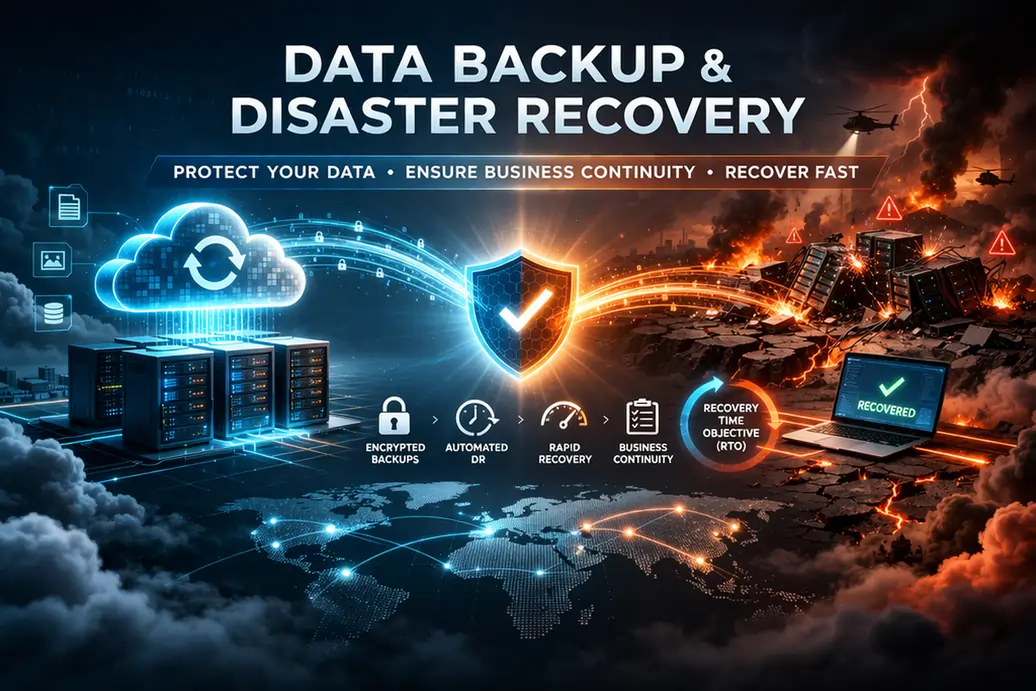
Backups are easy to report and difficult to trust. A dashboard may show successful jobs every night while a critical folder is excluded, a database cannot be opened, an encryption key is unavailable or recovery takes much longer than the business expects.
Restore testing answers the only question that matters: can the organisation recover usable information and services within an acceptable time?
For UAE businesses operating across offices, branches, warehouses and cloud platforms, testing should cover more than one file from one server. It should prove that the backup scope, people, credentials, connectivity, applications and recovery steps work together.
Define recovery requirements before testing
Every important workload should have:
- Recovery point objective: the amount of data loss the business can tolerate.
- Recovery time objective: the target time to restore usable service.
- Business owner: the person who confirms that restored data is correct.
- Technical owner: the person or provider responsible for recovery.
- Dependencies: identity, network, licenses, keys, applications and vendors required.
A finance database and an archive folder should not automatically receive the same recovery target.
Create a complete backup inventory
The testing programme should begin with a register of protected and unprotected workloads.
Include:
- physical and virtual servers;
- databases;
- file shares;
- Microsoft 365 mailboxes, SharePoint, OneDrive and Teams data where separately protected;
- cloud virtual machines and storage;
- business applications;
- endpoint or user data where applicable;
- network and firewall configurations;
- websites and source repositories;
- branch-local workloads;
- backup consoles, keys and configuration.
Record backup frequency, retention, location, encryption, immutability, owner and last restore test.
Distinguish backup verification from restore testing
Verification checks that the job completed, expected data was included and the backup is readable. Restore testing proves that data or service can be recovered.
A mature process uses both:
- daily job and alert review;
- regular sample-file restores;
- database or application recovery tests;
- full-system recovery tests;
- branch or site continuity exercises;
- periodic recovery from an isolated or clean environment.
The frequency should reflect business impact, change and risk.
Test the backup catalogue and credentials
Recovery can fail before data is restored because nobody can access the console or find the correct restore point.
Confirm:
- named administrators and MFA;
- emergency-access procedure;
- backup encryption keys;
- repository and storage access;
- license validity;
- service-account passwords;
- network paths and firewall rules;
- vendor support entitlement;
- documentation available outside the failed system.
Do not store the only recovery procedure inside the platform that may be unavailable.
Use a structured restore-test record
| Field | What to record |
|---|---|
| Workload | Server, database, mailbox, site, file set or application. |
| Restore point | Date, time and backup copy used. |
| Scenario | Deletion, corruption, full failure, ransomware or site loss. |
| Target | Original location, alternate location or isolated environment. |
| Start and completion | Actual recovery time. |
| Validation | Technical checks and business-owner acceptance. |
| Issues | Missing data, permissions, performance or documentation gaps. |
| Actions | Owner, priority and due date. |
Keep evidence such as screenshots, logs and business acceptance.
Test simple file recovery
File restore is the starting point, not the final test.
Select files that represent:
- different branches or departments;
- recent and older retention periods;
- large and small sizes;
- permissions and ownership;
- special characters or long paths;
- shared and confidential content.
Confirm the restored file opens, contains expected data and retains the required permissions or metadata.
Test Microsoft 365 recovery scenarios
Microsoft 365 availability and data protection responsibilities should be understood separately. Depending on the organisation’s configuration and backup tools, test scenarios may include:
- deleted mailbox item;
- deleted user mailbox;
- OneDrive file or folder recovery;
- SharePoint site or library recovery;
- Teams-associated files;
- permissions and ownership;
- recovery of data from a departed employee;
- restoration to an alternate location for validation.
Document which capabilities come from Microsoft retention and which depend on a separate backup platform.
Test database recovery as an application process
A database restore is successful only when the application can use it.
The test should verify:
- database consistency;
- correct version and configuration;
- application connection;
- user authentication;
- recent transactions;
- integrations and scheduled jobs;
- reports and exports;
- business-owner validation.
Restore into an isolated environment when production data should not be overwritten.
Test a full server or virtual machine recovery
Full recovery reveals dependencies that file tests miss.
Confirm:
- boot and operating-system health;
- network configuration;
- DNS and domain connectivity;
- service startup;
- storage and permissions;
- application licensing;
- security tooling;
- monitoring and backup re-enrolment;
- actual recovery duration.
Compare actual recovery with the RTO and document bottlenecks.
Test branch recovery with limited connectivity
A branch may depend on local files, printers, applications, internet and remote support. Test what happens if the branch server or connection is unavailable.
Scenarios can include:
- restore over a slow link;
- shipment of recovery media or appliance;
- temporary cloud or alternate-site operation;
- replacement firewall or server;
- remote support with local hands;
- access to procedures and credentials when the main office is unavailable.
Record how long logistics and approvals add to technical recovery.
Test isolated recovery for cyber incidents
Restoring directly into a compromised environment may reintroduce the problem. The plan should include a clean or isolated recovery option where appropriate.
Consider:
- separate administrator credentials;
- known-clean devices;
- isolated network;
- malware and integrity checks;
- validated backup point;
- staged reconnection;
- monitoring before production return;
- approval to reconnect.
CISA’s ransomware guidance recommends maintaining protected backups and incorporating recovery into broader resilience planning. The #StopRansomware Guide is a useful reference for these preparations.
Test the recovery platform as a dependency
The backup console, catalogue and storage account can also fail or become unavailable. A mature exercise should test how the organisation recovers when the normal management portal cannot be reached, the primary repository is damaged or the provider account is suspended.
Confirm:
- an alternate administrator and recovery contact;
- export or secondary copy of backup configuration;
- independent access to encryption keys and credentials;
- secondary or offline backup copies where required;
- provider escalation and support entitlement;
- recovery steps when DNS, identity or the main network is unavailable;
- how backup monitoring resumes after the platform is restored.
This test exposes hidden concentration risk. A backup cannot protect the business if the only catalogue, credential or key needed to use it is lost with the affected environment.
Measure actual RPO and RTO
The configured schedule may suggest a recovery point, but actual data loss depends on when the last usable backup completed. The advertised restore speed may exclude provisioning, downloads, validation and application startup.
Measure:
- time to identify the correct backup;
- time to provision the recovery target;
- data-transfer time;
- application startup;
- validation;
- user access;
- integration and report recovery.
Use the result to update expectations, architecture and investment.
Include business validation
Technical teams can confirm that a file exists or a server starts. The business owner must confirm that the information is complete and usable.
Examples include:
- finance confirms balances and recent transactions;
- operations confirms orders and inventory;
- HR confirms employee documents;
- sales confirms customer records;
- management confirms reporting.
Recovery is not complete until the service supports the business process.
Record and close test failures
Common findings include:
- missing workloads;
- incorrect retention;
- expired credentials;
- slow recovery;
- unavailable encryption keys;
- unsupported application version;
- insufficient storage;
- unclear owner;
- vendor delay;
- outdated documentation.
Assign each issue an owner and deadline. Repeat the test after correction.
Use a risk-based testing schedule
| Test type | Example frequency |
|---|---|
| Job and alert review | Daily or each backup cycle. |
| Sample file restore | Monthly or more often for critical data. |
| Application or database restore | Quarterly or after major change. |
| Full system recovery | At least annually, based on criticality. |
| Branch or site exercise | Annually or after infrastructure change. |
| Cyber recovery exercise | Based on risk and incident-response programme. |
The appropriate schedule depends on risk, regulation, change and business tolerance.
Align testing with contingency planning
NIST contingency planning guidance includes business impact analysis, preventive controls, recovery strategies, plan development, testing, training and maintenance. The NIST SP 800-34 guidance provides a useful framework for connecting backup tests to the broader continuity plan.
A restore test should update the recovery plan when assumptions prove wrong.
The restore-testing checklist
- Confirm the workload and business owner.
- Confirm RPO and RTO.
- Select the backup point and copy.
- Verify credentials, keys and licenses.
- Choose an isolated or alternate target where appropriate.
- Start timing before recovery preparation.
- Restore data or system.
- Validate integrity and permissions.
- Start the application and integrations.
- Obtain business acceptance.
- Compare actual results with targets.
- Record issues, owners and retest date.
Frequently asked questions
Is a successful backup job enough?
No. It shows that the job reported success, not that the organisation can recover usable data or service.
Should every backup be fully restored?
No. Use risk-based sampling and periodic full recovery tests, with more frequent testing for critical workloads.
Who should approve a restore test?
The technical owner conducts recovery, while the business owner confirms that the restored information or service is usable.
Should Microsoft 365 data be tested separately?
Yes. Document which recovery capabilities come from retention and which rely on a separate backup product, then test relevant scenarios.
What is the most common restore-test failure?
Failures often come from missing scope, credentials, keys, dependencies or validation rather than the backup file itself.
Reliable recovery requires evidence, ownership and repeated practice. Organisations seeking coordinated backup, monitoring, branch support and continuity across locations can review managed IT services across UAE and India.