

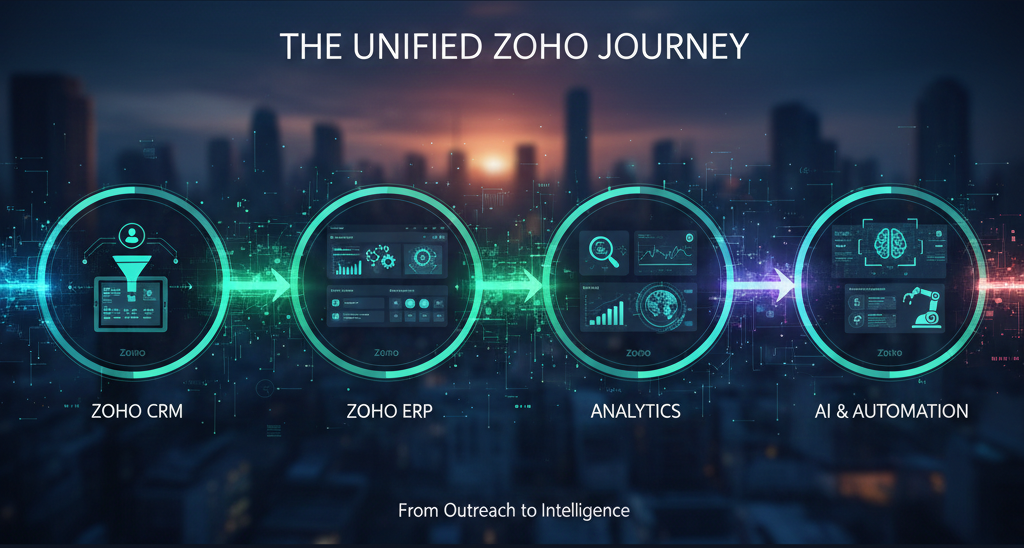
Zoho CRM and ERP Analytics Guide for the Complete Customer Journey
A customer journey dashboard should show more than leads and sales totals. It should connect marketing interest, sales activity, quotations, invoices, collections, delivery, projects and support into one management view.
Why customer journey reporting often breaks
Many companies implement CRM first and reporting later. This creates a familiar problem: sales data lives in CRM, invoices live in accounting, project status lives in task tools and customer issues live in email. Management then receives reports that are late, incomplete or manually corrected.
The better approach is to design reporting from the customer journey backward. What does leadership need to know? Which stage creates delay? Where does revenue leak? Which customers need follow-up? When the questions are clear, Zoho applications can be configured to capture the right data at the right point.
ANSI Technologies helps businesses plan this connected model through Zoho CRM services and wider Zoho ERP services, so reporting is not treated as an afterthought.
The complete customer journey map
A strong analytics model should follow the real customer path. It should not only show sales activity; it should show whether the business can convert, deliver, collect and support customers reliably.
Source, campaign, industry, enquiry type, owner, follow-up status and qualification reason.
Quote value, expected close date, discount approval, order status and handover readiness.
Invoice status, collections, project delivery, support tickets and repeat customer signals.
When this journey crosses multiple applications, Zoho One services can be useful because CRM, Books, Desk, Projects and automation can be planned as one connected operating model.
Reporting architecture: what each system should own
| Business stage | Best system owner | Reporting objective |
|---|---|---|
| Lead and pipeline | Zoho CRM | Track source, qualification, next action, probability and sales accountability. |
| Invoice and collection | Zoho Books | Connect revenue, outstanding amounts, tax/VAT/GST data and customer payment behaviour. |
| Delivery and projects | Zoho Projects | Monitor task progress, responsibility, delays and implementation handover risks. |
| Support experience | Zoho Desk | Measure response time, resolution quality, repeated issues and customer satisfaction signals. |
For finance visibility, Zoho Books implementation should be aligned with CRM fields so sales and collection reports do not contradict each other. For service teams, Zoho Desk support services can connect customer issues back to account ownership.
Dashboard rules that protect decision quality
Dashboards only create value when users trust them. This means the business must define what each field means, when it is updated and who is accountable for correction. A dashboard full of beautiful charts but weak data becomes a distraction.
- Define mandatory fields only where they affect decisions.
- Use controlled picklists instead of free-text status updates.
- Set ownership for lost reasons, discount approvals and handovers.
- Connect invoices and collection status to customer records.
- Review stale opportunities and delayed quotes in weekly meetings.
- Keep dashboards role-based for sales, finance, operations and leadership.
Where manual updates slow the process, Zoho workflow automation can trigger reminders, approvals, alerts and handover tasks without forcing users to manage everything manually.
Data governance behind reliable dashboards
Analytics quality depends on field discipline. If sales teams use different stages, finance uses different customer names and support teams create tickets without account mapping, dashboards will not be trusted. The business should define a few non-negotiable data rules before building advanced reports.
Customer names, account ownership, lead source, product family, deal stage, expected close date, invoice status and support priority should have controlled definitions. This does not mean adding too many mandatory fields. It means making the important fields clean enough to support decision-making.
- Use a single customer naming convention across CRM, finance and support.
- Standardize lead source and campaign values before reviewing marketing ROI.
- Separate sales forecast from confirmed order and invoice reporting.
- Assign ownership for stale deals, unpaid invoices and unresolved tickets.
A practical dashboard pack for leadership
Leadership does not need every possible metric on day one. It needs a focused dashboard pack that answers the questions used in business reviews. For most companies, this includes pipeline health, lead response time, quotation conversion, invoice aging, project delay and support workload.
The dashboard pack should be reviewed with the teams who create the data. If managers use a report in meetings, users quickly understand that CRM and ERP updates matter. If dashboards are created but ignored, data quality usually declines.
| Dashboard | Audience | Decision supported |
|---|---|---|
| Pipeline health | Sales leadership | Which opportunities need action or escalation. |
| Revenue and collection | Finance and management | Which customers or invoices require follow-up. |
| Customer service view | Operations and support | Which accounts need attention after the sale. |
Implementation sequence for analytics maturity
Do not begin with complex dashboards. Start by cleaning customer records and pipeline stages. Next, connect invoices, collections and service cases to the customer. After that, create dashboards for each leadership meeting. Advanced analytics should come after the business trusts the daily data.
This sequence avoids a common failure: beautiful reports that nobody believes. When every chart can be traced back to a responsible user, a clear transaction and a defined field, analytics becomes part of management discipline.
For complex reporting across several systems, ANSI Technologies can also provide advisory through CTO on demand services, especially where CRM, ERP, finance and operational systems need a shared roadmap.
How to keep analytics useful after launch
After dashboards go live, the business should review not only the numbers but also the behaviour behind them. If sales stages are not updated, the forecast is weak. If invoices are not connected to customer records, revenue visibility is incomplete. If support cases are not categorized correctly, customer experience reporting becomes unreliable.
A practical monthly data review can solve this. The review should identify missing fields, duplicate customers, inactive opportunities, overdue invoices and unresolved tickets. Each issue should have a responsible owner, not just a dashboard warning.
Questions to ask before building the first report
Before building reports, leadership should agree the questions that matter. Which lead sources produce qualified opportunities? Which deal stages are slowing conversion? Which invoices are overdue against active customers? Which support issues affect repeat business? These questions help the team build dashboards that are used in real meetings instead of dashboards that only look impressive.
Each report should also show the action expected from the user. A stale opportunity report should tell sales managers what to review. An overdue invoice report should guide finance follow-up. A support trend report should help operations reduce repeated complaints. When reports are connected to action, users understand why data quality matters.
Frequently asked questions
Should CRM and finance reports be connected?
Yes. Sales teams may measure pipeline, but leadership needs to connect pipeline with orders, invoices, collections and service quality to understand real customer value.
Can Zoho Analytics be added later?
Yes, but the data model should be planned early. Good analytics depends on consistent fields, clean ownership and reliable transactions.
What is the first improvement to make?
Start by connecting lead source, sales stage, quotation status, invoice status and customer support status. That gives a practical customer journey view.
Related implementation support
For a wider service view, review Zoho implementation services. ANSI Technologies can connect the guidance in this article with discovery, configuration, data migration, integrations, role-wise training and post go-live support.
Turn Zoho data into management visibility
ANSI Technologies can help you connect CRM, finance, projects and support workflows so dashboards reflect real business performance.
Explore Zoho CRM Services