

Zoho CRM Implementation Blueprint for Sales Teams: Leads, Pipelines, Follow-Ups and Revenue Visibility
Zoho CRM works best when it is designed around how a sales team actually wins business. A clean CRM should capture every serious enquiry, show the next action, protect follow-up discipline, reveal pipeline quality and give management a reliable view of forecast, conversion and lost opportunities.
The real CRM problem is not data entry
Many companies blame users when CRM adoption is weak. In reality, the system often asks for the wrong information, uses unclear pipeline stages, produces dashboards managers do not trust or fails to connect with quotation, invoicing and customer support workflows. Salespeople then return to spreadsheets, WhatsApp reminders and private notes because the CRM does not help them sell.
A strong implementation by Zoho CRM consultants should remove friction. It should make the next action obvious, reduce duplicate work and turn sales activity into management visibility. The system should answer practical questions: where are leads coming from, which deals are ageing, why are opportunities lost, which salespeople need support and which campaigns are producing qualified pipeline.
Design the pipeline before configuring screens
Pipeline design is the heart of Zoho CRM. It decides how enquiries move from first contact to qualification, proposal, negotiation, closure, onboarding and repeat business. If stages are too generic, leadership cannot see risk. If stages are too detailed, users avoid updates. The right pipeline should match the sales motion of the business.
Define what makes a lead worth pursuing. Use source, requirement, budget, urgency, authority and fit to prevent wasted follow-up.
Create stages that reflect real buying decisions, not internal hopes. Every stage should have a clear exit condition.
Calls, emails, tasks, meetings and reminders should show whether the opportunity is moving or simply sitting in the pipeline.
Lost deals should reveal whether pricing, timing, competition, product fit or internal delay caused the loss.
Dashboards should separate optimistic pipeline from realistic revenue probability.
Closed deals should move cleanly into delivery, finance, projects or support without manual confusion.
Implementation blueprint
| Phase | What to build | Business result |
|---|---|---|
| Discovery | Map lead sources, sales stages, user roles, approval needs and reporting expectations. | The CRM reflects the business process rather than a generic template. |
| Configuration | Set modules, fields, layouts, validation rules, roles, profiles and dashboards. | Users see only what matters and managers get consistent data. |
| Automation | Use Zoho automation services for alerts, assignments, reminders, approvals and follow-up sequences. | Important actions do not depend only on memory or manual chasing. |
| Connected workflow | Link CRM with Zoho Books services, Zoho Projects services or support workflows where required. | Sales, finance, delivery and service teams work from the same customer context. |
What sales leaders should insist on
A CRM implementation should give leadership control without overwhelming the sales team. Every required field should have a purpose. Every dashboard should influence a meeting or decision. Every automation should reduce delay or risk.
- Lead response SLA: define how quickly new enquiries must be assigned and contacted.
- Stage hygiene: prevent deals from remaining in stages without next actions.
- Proposal control: track quotations, discounts, approvals and expected closure dates.
- Customer continuation: connect closed-won records to onboarding, projects or Zoho Desk support services.
For advanced changes, use Zoho customization services carefully. Custom modules and scripts are powerful, but the first priority should be clean pipeline logic and adoption.
UAE and India sales team considerations
Dubai and Abu Dhabi teams often need fast enquiry response, multilingual communication, branch-level accountability and service handover. India teams across Delhi NCR, Bengaluru, Mumbai and Hyderabad often need lead volume control, inside sales productivity, field sales tracking, partner follow-up and finance coordination. Zoho CRM can support both models when the implementation separates common process from local operating needs.
Businesses using several Zoho applications should consider Zoho One services when sales, finance, HR, projects and support need a connected operating model. The goal is not to add more apps. The goal is to remove gaps between teams.
Sales adoption design: make the CRM useful to the user
A CRM becomes trusted when it helps salespeople prepare, follow up and close. If users only see it as a reporting burden, adoption will remain weak. The implementation should therefore include practical user journeys: how a new lead appears, how it is qualified, how a call is logged, how a proposal is tracked, how a reminder is created and how a manager reviews stalled opportunities.
Mobile access, email integration, WhatsApp follow-up practices, role-based dashboards and simple field layouts can make a significant difference. A sales executive should not search across ten screens to know what to do next. A sales manager should not export spreadsheets to understand the pipeline. When Zoho CRM is designed well, the system itself becomes the sales operating rhythm.
- For inbound sales: connect website forms, campaign sources and assignment rules so leads are not lost.
- For field sales: simplify activity updates, customer visit notes and manager visibility.
- For B2B sales: track stakeholders, proposal versions, expected decision dates and competitor context.
- For recurring accounts: connect CRM with support and finance signals so renewals are not handled blindly.
Dashboards that actually help management
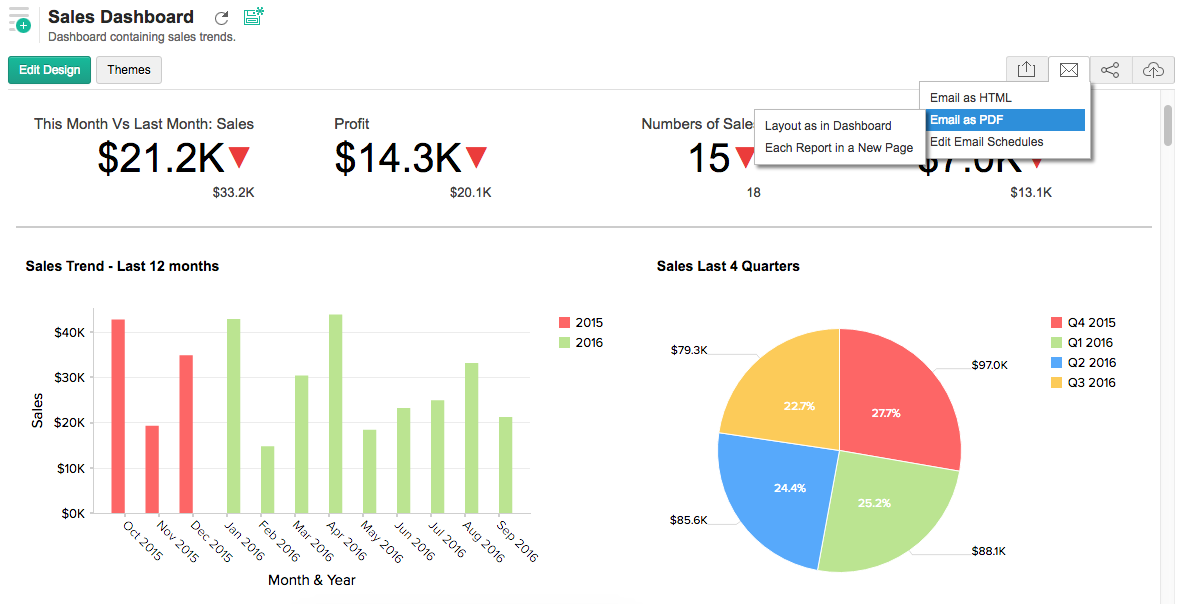
The best CRM dashboards are not the most colourful; they are the ones used in meetings. Leadership should define a small set of metrics that matter: lead response time, qualified pipeline, stage ageing, forecast confidence, lost reasons, proposal conversion, sales activity consistency and expected revenue by month. These metrics require disciplined data entry, but they also require a CRM design that makes the correct update easy.
ANSI Technologies usually recommends building dashboards after the pipeline rules are agreed, not before. A dashboard built on unclear stages will only create polished confusion. A dashboard built on clear process ownership can guide weekly reviews and coaching conversations.
Frequently asked questions
How long does Zoho CRM implementation take?
A focused sales CRM can be launched in phases, but timeline depends on data quality, integrations, approval rules, dashboards and user training.
Should Zoho CRM be customized immediately?
Only when standard configuration cannot support a genuine business requirement. Most teams should first stabilize fields, stages, roles and dashboards.
Can Zoho CRM connect with finance and support?
Yes. Zoho CRM can be connected with Zoho Books, Zoho Projects and Zoho Desk to support quote-to-cash, delivery and customer service workflows.
Practical rollout sequence for sales teams
A CRM rollout should begin with the areas that create immediate sales discipline. Start with lead capture, pipeline stages, tasks, activities and manager dashboards. Once the team uses these consistently, add proposal controls, finance handover, customer success follow-up and deeper automation. This sequence prevents the CRM from becoming too complex before users trust it.
Sales leaders should also decide how CRM data will be reviewed. If managers continue running meetings from spreadsheets, users will treat Zoho CRM as optional. When managers use Zoho CRM dashboards to discuss pipeline, activity and forecast, adoption improves naturally because the system becomes part of the sales culture.
For companies with multiple sales units, separate pipelines may be useful only when the process is genuinely different. Too many pipelines create fragmented reporting, while one over-generalized pipeline hides important differences. The right design balances simplicity with business reality.
Need a practical Zoho CRM rollout?
ANSI Technologies can help you design Zoho CRM around real sales execution, automation, dashboards and adoption.
Explore Zoho CRM ServicesRequest Zoho Solution Services