

Zoho One Operating System Guide for SMEs That Need Connected Teams
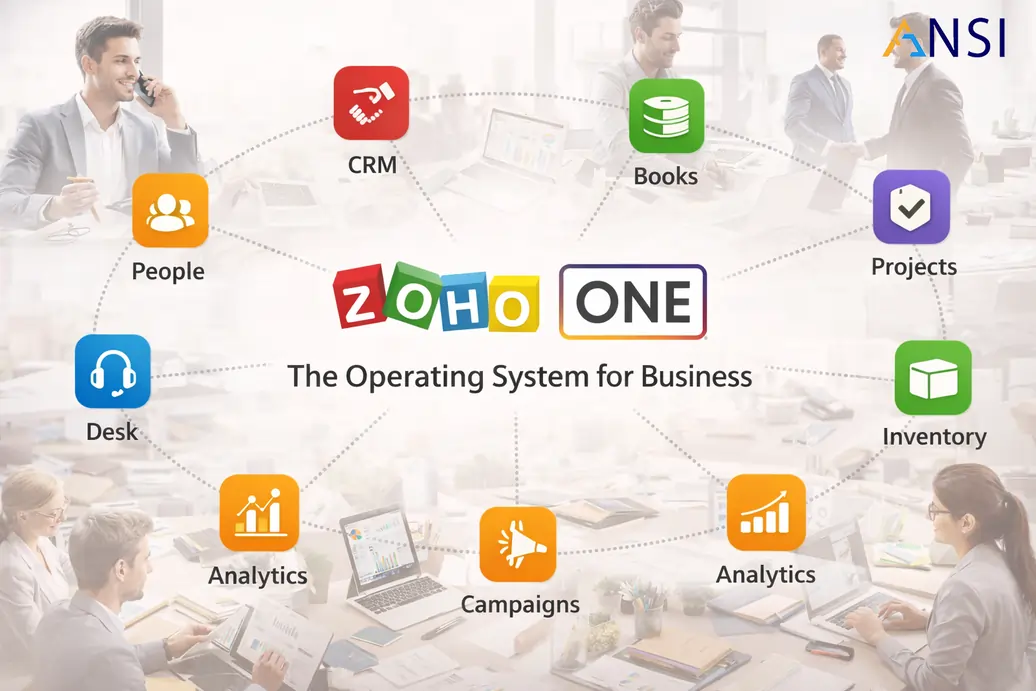
Zoho One can become a practical operating system for growing SMEs, but only when it is implemented as connected workflows. The value is not in launching many applications. The value is in connecting sales, finance, delivery, support, HR and reporting around one way of working.
Many businesses adopt separate tools over time. One tool manages leads, another creates invoices, another tracks support, another stores tasks and another manages employee data. The result is duplicate entry, weak reporting and unclear accountability. Zoho One implementation can reduce that fragmentation when the rollout is designed carefully.
Customer lifecycle
Connect inquiry, lead qualification, quotation, order, invoice, support and renewal visibility.
Team execution
Link sales promises with project delivery, task ownership, customer communication and service follow-up.
Management reporting
Create dashboards from clean data so leaders can review pipeline, billing, collections, projects and service health.
Do not treat Zoho One as an app bundle
The most common mistake is activating many apps simply because they are available. This overwhelms users and creates half-configured systems. The better approach is to define the operating model first: what must happen when a lead is received, when a quote is approved, when an invoice is raised, when a project starts, when a support issue appears and when management reviews performance.
A company may begin with Zoho CRM services for sales discipline, then add Zoho Books setup for invoicing and finance visibility. After that, Zoho Projects services and Zoho Desk support services can improve delivery and service accountability.
| Phase | Apps to consider | Outcome |
|---|---|---|
| Phase 1 | CRM, basic automation and dashboards. | Sales visibility and follow-up discipline. |
| Phase 2 | Books, invoice workflow and collections visibility. | Cleaner finance operations and customer balances. |
| Phase 3 | Projects, Desk and customer communication workflows. | Better task ownership, support routing and customer history. |
| Phase 4 | HRMS, approvals, analytics and advanced automation. | Connected internal operations and management reporting. |
Where Zoho One delivers the most value
Zoho One is strongest when departments need to work from the same customer and operational context. For example, sales should know whether a customer has unpaid invoices. Finance should understand approved commercial terms. Support should see customer history. Project teams should know the scope committed by sales. HR should manage access and employee workflows without disconnected spreadsheets.
Companies with deeper operations can also consider Zoho ERP services where finance, operations and control requirements go beyond basic app setup. For advanced process changes, Zoho customization services should be used only where standard configuration cannot support a genuine requirement.
Implementation guardrails for SMEs
- Launch fewer workflows, but make them complete and usable.
- Define field ownership before reports are built.
- Use automation for follow-up and approvals, not for unclear process shortcuts.
- Train users by job role, not by generic product features.
- Review adoption every month and improve the system based on real usage.
How HR and automation fit into the roadmap
Once the customer and finance workflows are stable, businesses can expand into Zoho HRMS services for employee records, attendance and approvals. Zoho automation services can then improve routing, reminders, escalation and internal governance.
A sample Zoho One operating model
Imagine a B2B services company using Zoho One. A lead enters CRM from the website and is assigned to a sales owner. The proposal is approved before it is sent. Once the customer confirms, finance raises the invoice in Books and the delivery team receives a project template in Projects. If the customer raises a service issue, Desk records the ticket against the same customer history. Management reviews pipeline, invoices, delivery status and support load from connected reports.
This kind of operating model is simple to describe, but it requires careful field design, ownership and workflow testing. The customer name, product or service line, commercial terms, project owner and support category must be consistent. If each team creates its own version of the truth, Zoho One loses its advantage.
What to review before expanding to more apps
Before activating another Zoho application, check whether the existing phase is being used properly. Are users logging activities? Are invoices created from correct customer data? Are project tasks updated? Are tickets categorized? Are dashboards used in management meetings? If the answer is no, adding another app will usually increase confusion.
When the foundation is healthy, expansion becomes easier. HR workflows, advanced automation, custom dashboards, customer portals and integrations can then be introduced with less resistance because users already trust the system.
How to prevent Zoho One from becoming too complex
The simplest control is to make every app activation answer a business question. What problem will this app solve? Which users will work in it every day? Which reports will depend on it? Which process owner will maintain it after launch? If those answers are unclear, the app should remain in the roadmap rather than being rushed into production.
Zoho One becomes powerful when teams trust the connected flow. Sales should not feel that finance is slowing them down. Finance should not feel that sales data is unreliable. Support should not chase customer history manually. HR should not manage access through informal requests. Each department should see how its work contributes to the wider operating system.
Adoption should be designed into the rollout
Adoption improves when users understand why the workflow changed. Show sales teams how CRM follow-up affects revenue reviews. Show finance teams how cleaner customer data improves collections. Show project teams how task updates reduce meeting pressure. Show support teams how categorization protects service quality. These practical benefits make Zoho One feel useful instead of imposed.
Reporting should connect the departments
The management reporting layer is where Zoho One can become especially valuable. A business owner should be able to review open leads, expected revenue, outstanding invoices, active projects, unresolved support tickets and important HR actions without asking every department for a separate update. That does not happen automatically. Reports depend on clean fields, consistent status definitions and users updating the system at the right point in the workflow.
Start with a small set of leadership dashboards. A sales dashboard, finance dashboard, delivery dashboard and support dashboard are often enough for the first stage. Once these reports are trusted, deeper analytics and department-specific views can be added.
For SMEs, the best Zoho One rollout is disciplined but not heavy. Keep meetings short, decisions documented and phase objectives measurable so teams can see progress without feeling buried in project administration.
FAQs
When should a business choose Zoho One?
Zoho One is useful when the business needs several connected applications such as CRM, finance, projects, support, HR and automation instead of isolated tools.
Should all Zoho One apps be launched at once?
No. Most SMEs get better adoption by launching Zoho One in phases based on business priority, data readiness and user capacity.
What is the biggest risk in Zoho One implementation?
The biggest risk is treating Zoho One as a large app bundle instead of a connected operating model with clear process ownership.
How can ANSI Technologies help with Zoho One?
ANSI Technologies helps businesses plan, configure and roll out Zoho One across sales, finance, projects, support, HRMS, automation and reporting.
Related implementation support
For a wider service view, review Zoho implementation services. ANSI Technologies can connect the guidance in this article with discovery, configuration, data migration, integrations, role-wise training and post go-live support.
Need Zoho One to work as one business system?
ANSI Technologies can help design a phased Zoho One roadmap that connects CRM, finance, projects, support, HR and automation without overwhelming users.
Explore Zoho One Services